Hauenleuka
Hauenleuka v0.3 released 2025-12-16 / Download
Why?
After I upgraded to Ubuntu 24.04 my previous music player (gmusicbrowser) failed to start. I was agnry enough to write my own musicplayer. It is not for everyone, there are many better player for most people, but I don’t stream and have CD’s ripped and meticulously tagged. I need a good player for local files. The status (0.2+) is so good, that I don’t personally need any other music player.
What?
In the Finnish folklore Väinämöinen made the first kantele from Hauenleuka (Pike’s Jaw). Kantele is a musical instrument, and Hauenleuka plays music.
Core Features
Note before using: “Hauenleuka” will modify files (tags)! This is a fundamental core feature.
Make backups before using.
Minimum Requirements
- GPU should support OpenGLES2
- OS: Linux.
- Three external programs installed: ffmpeg, vorbiscomment and metaflac.
Support
- Filetypes: ogg and flac.
- NOT Supported: Legacy (mp3) and Exotic (sid, nfs) will not be supported
Library-database
- Made with huge libraries (properly tagged) in mind, Dev-dummy-database had 10M tracks! Should be enough.
- Tech: sqlite
Auto-player
- Filtered by none, rating or never played.
- Playlist is randomly filled based on the filter and automatically updated.
Tagging
Autotagger
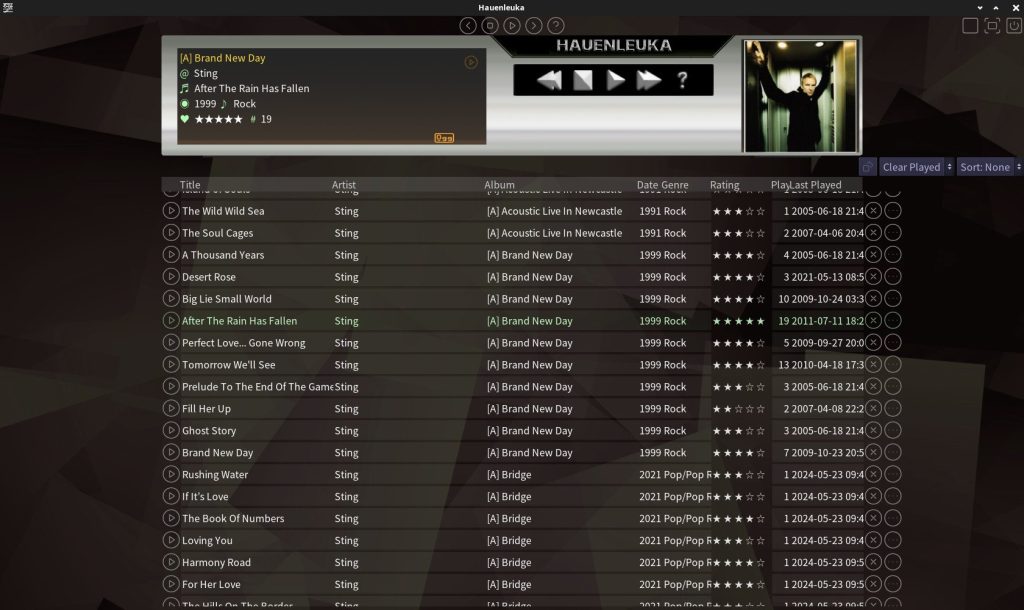
- On_play: Playcount=(+1) + timeplayed=(curernt_time)
- Rating_standardizer. Converts (0.0-1.0; 0-255) to 0-5.
- If no rating tag is present, new tag is set to 3.
Manual tagging
- Single track can be modified from the playlist.
- Artist can be merged to another artist. (Good for fixing typos)
Explore and enqueue tracks
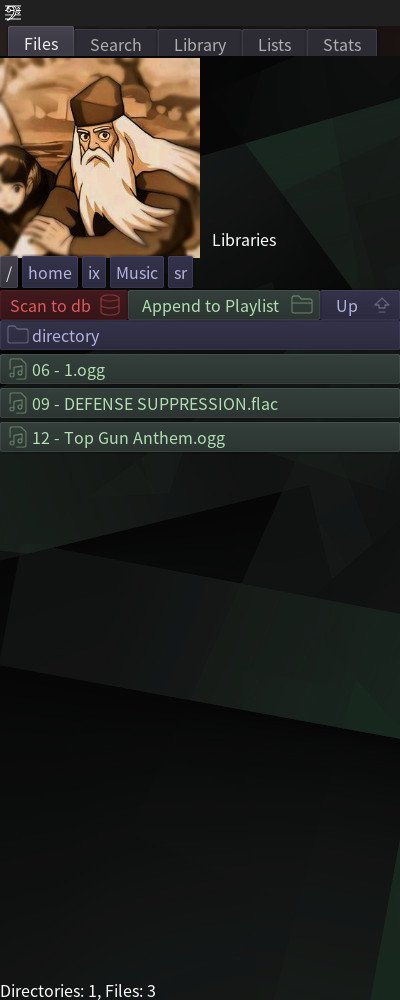
- Files: Browse filed in your HDD. Shortcuts can be added in user-config.
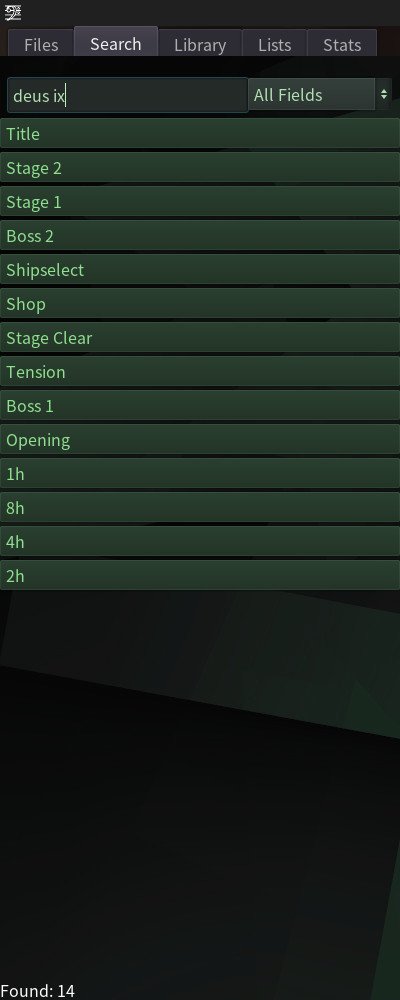
- Search: Text serach based on any title, artist, album or genre -fields.
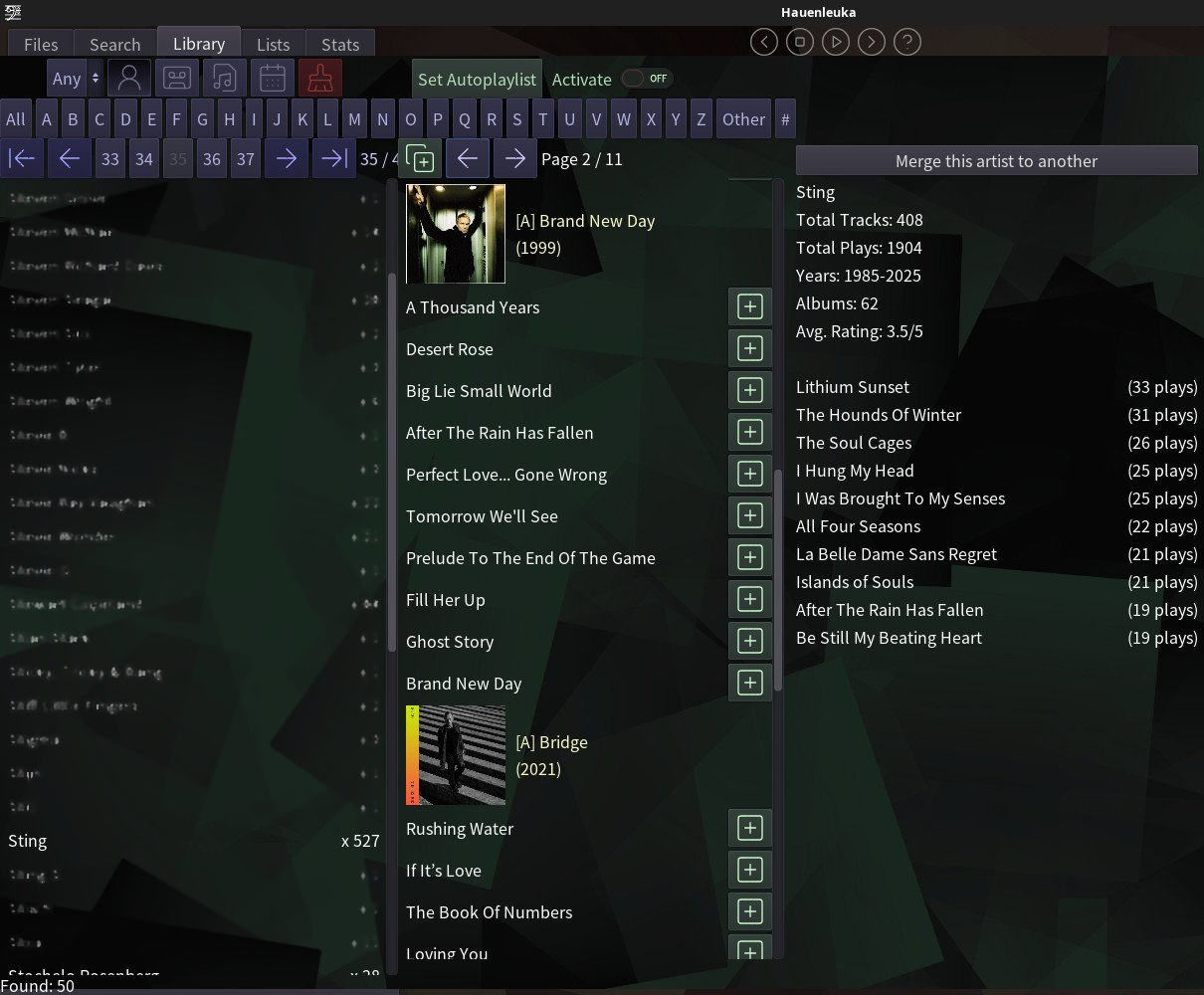
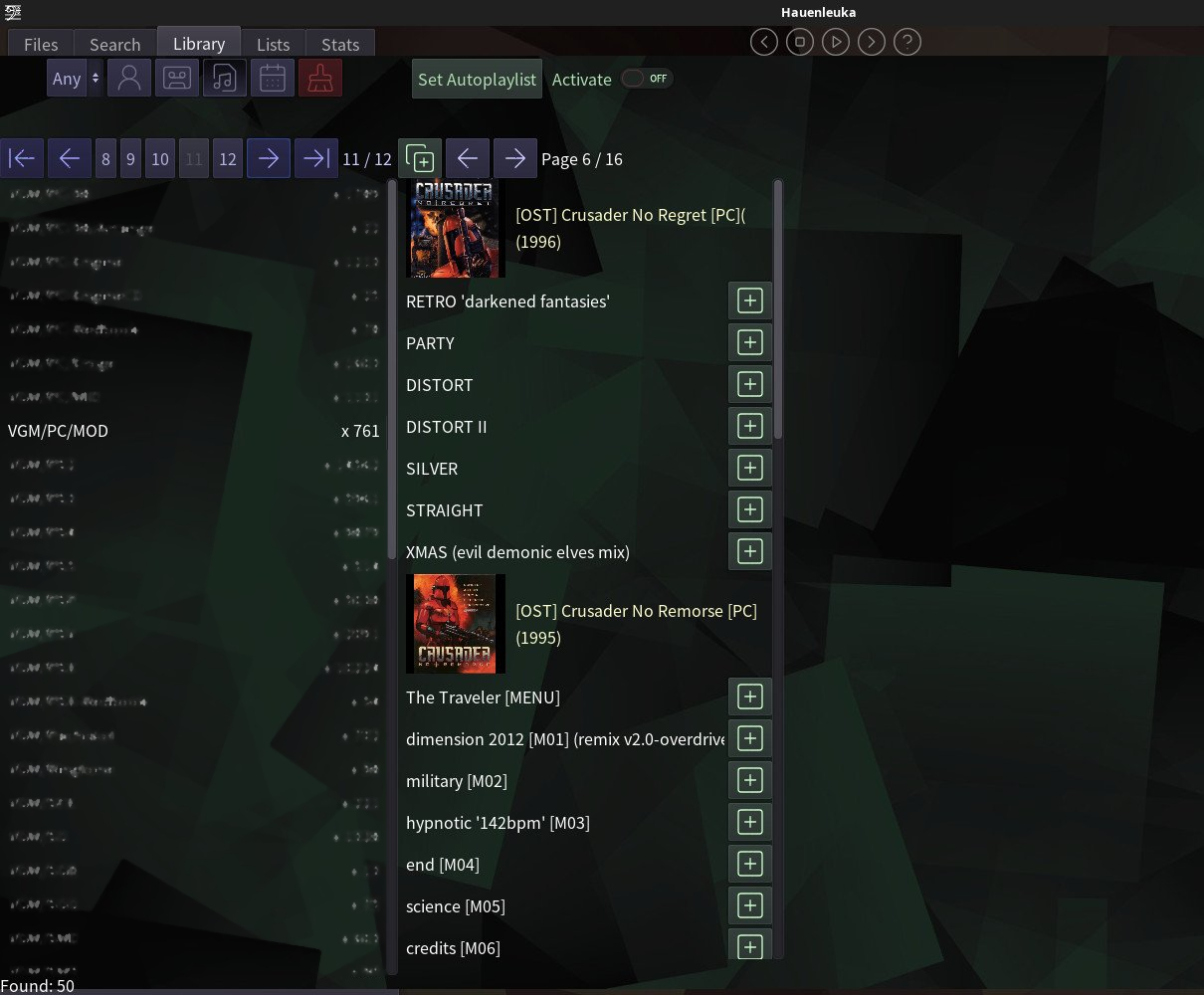
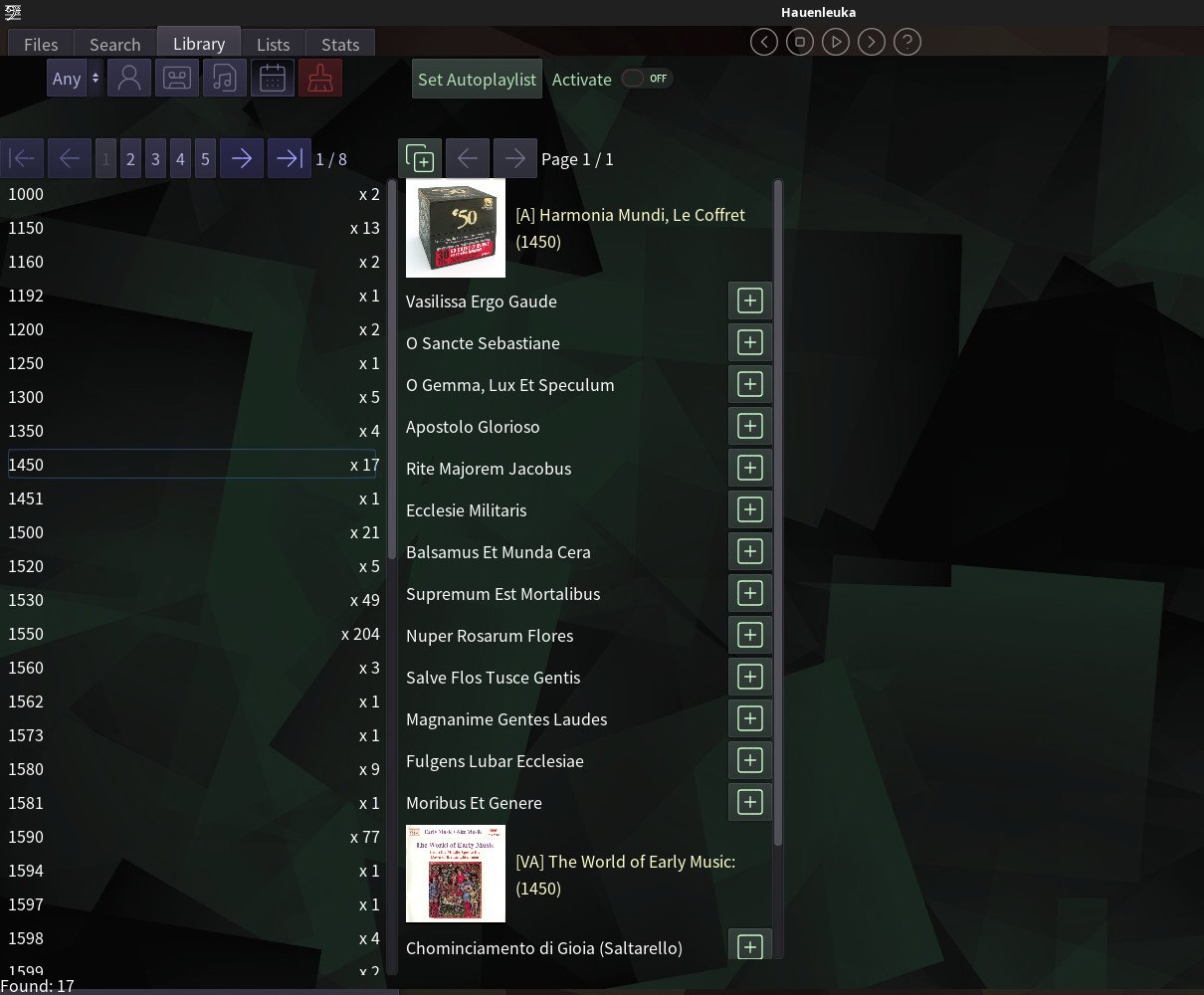
- Library: Lists tracks more visually, sort via artist, album, genre or year.
Playlist support
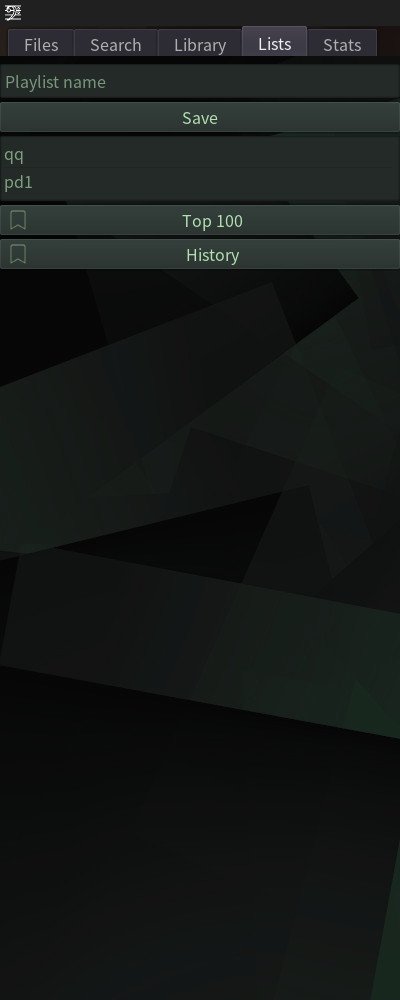
- Current playlist can be saved via the playlist-tab. Give a name and click save. Same name will overwrite the old one.
- Dynamic-playlists. Two dynamic playlists are supported: top100 and history.
Eye Candy
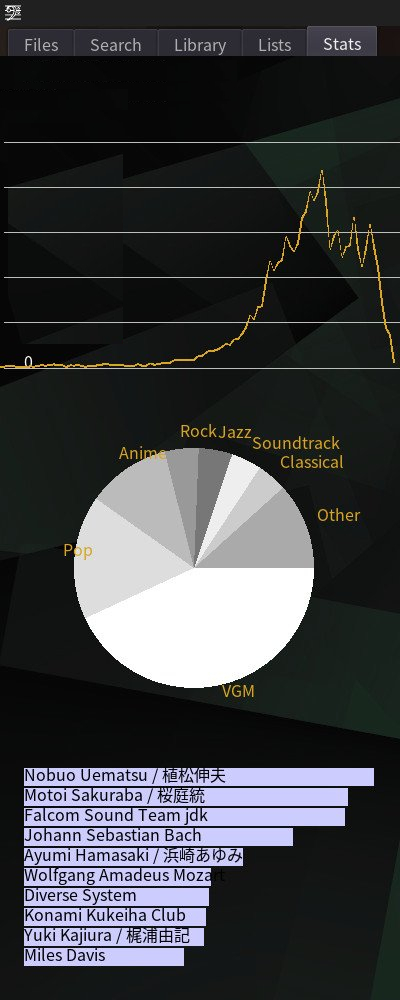
- Statistics tab. Graph of release years, top genres, top artists.
- Cover art in the same directory as the tracks named: “00 – cover.jpg”
User-config
- Libraries / Shortcuts to Files-tab
- Colours
- Enable Artist-merger
TODO:
- Boot: Warning about missing requirements (now visible only in console)
- User-config: Better theming (bg-image).
- User-config: More user values: artist limits, stats threshold.
- Auto-player: filter for above a certain value. (4+ should filter 4 & 5)
Bugs:
- Metadata of the playing track gets overwritten by data of track that has been first changed via mouse and then by keyboard shortcut.
- Track A plays, User changes rating of track B with mouse, then ctrl+rating to change rating of Track A. -> Track B data is copied over Track A.
- Solution: Do not use keyboard to change ratings IF used mouse to change other track.
- Track A plays, User changes rating of track B with mouse, then ctrl+rating to change rating of Track A. -> Track B data is copied over Track A.
Screenshots
Tabs
Library